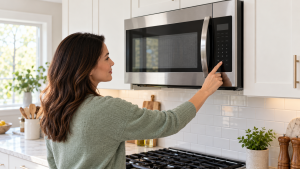
A Lit Display Does Not Mean the Keypad Has Failed
The most useful first observation is whether the display is alive. A working clock with an unresponsive keypad suggests a different branch from a microwave that has no lights or display at all. Whirlpool’s Control Lock guidance says the lock disables panel controls and may show Locked, Lock, or LOC when a key is pressed. On some models an invalid-entry tone is the only immediate clue. Before buying a touchpad, identify the model and its unlock instruction.
There is also a difference between a button that does not register and a microwave that refuses to start after registering it. If numbers enter normally but Start does not launch a cook cycle, the door may not be fully latched or a sensor may not confirm it is closed. A container, splatter, or damaged latch can affect closure. A door that is bent, does not seat firmly, or appears to allow operation while open is a stop-use problem, not a keypad cleaning task.
This guide stays on the outside of the appliance. The existing microwave not heating guide addresses a running unit with cold food. The turntable guide covers rotation, while the sparking guide applies when arcing is visible. None of those symptoms justifies opening the cabinet to probe a control panel.
For model-specific service after these checks, see Microwave repair and Microwave not heating.
Reading the Clues
A common false lead is to call every blank or inactive display a keypad failure. A dark panel may reflect lost supply power, while a lit panel that accepts numbers but refuses Start may be responding to the door or a programmed mode. Keep those observations separate. A spill across just a few keys is also a more useful service clue than saying the entire appliance stopped working. For local brand-specific support, the Whirlpool repair page and GE repair page help route a service request. The safe homeowner boundary stays the same across brands: exterior observation only, no cabinet removal.
Step-by-Step Troubleshooting
1. Stop if the microwave behaves unpredictably
A microwave that starts without a command, ignores Stop, runs with the door open, sparks, smokes, or has a damaged door should be unplugged at an accessible outlet if safe. Do not run another test cycle. Built-in units may require a qualified person to isolate power.
2. Check for Control Lock
Look for a lock symbol or LOC on the display. Whirlpool explains that Control Lock disables the pads on supported models. Use the exact unlock sequence in the owner manual; long-press combinations vary and guessing can change settings without solving the problem.
3. Confirm the panel is dry and clean
With the unit off, wipe the exterior keypad with a soft, lightly damp cloth if the manual permits, then dry it. Do not spray cleaner directly into panel seams or use abrasive pads. A recent spill or steam exposure is useful history for a technician.
4. Try several different keys
Does the panel reject every key, only one key, or an entire row? Record the pattern. A single dead Start button differs from all controls being locked. Do not press harder and harder; repeated force can damage a membrane.
5. Check the door without tampering
Open and close it normally, ensuring no food container, paper, or buildup prevents a firm latch. Never tape, hold, or bypass a door switch. If the door looks bent or will not close flush, stop use and arrange service.
6. Separate a dark display from dead buttons
If the display is dark, check whether other appliances on the same accessible outlet work, and whether a breaker has tripped. A recurring breaker trip is not an invitation to keep resetting. For a built-in or over-the-range unit, do not pull the oven down to reach wiring.
7. Check Demo mode only if the manual mentions it
Some models have showroom or demo settings that affect heating or operation. A unit that accepts keys but does not heat may be in a different mode from a truly dead keypad. Use the model instructions rather than broad internet key combinations.
8. Make one safe function test
After an unlock or exterior cleaning, use the model’s normal method to heat a microwave-safe cup of water briefly. Never run it empty. Stop if the controls fail, the door misbehaves, or arcing appears. If the microwave runs but food stays cold, follow the not-heating guide instead.
9. Do not remove the cover
Microwaves contain high-voltage components that can remain hazardous even after unplugging. Keypad, latch, fuse, and board testing belongs to qualified service. Do not make an internal continuity test at home.
10. Record the exact failure for service
Give the model number, affected keys, lock indicator, display behavior, any recent spill or outage, and whether the door latches firmly. A photo of the panel message is more useful than saying the microwave is simply broken.
Brand-Specific Considerations
Whirlpool and KitchenAid: Whirlpool documents Control Lock messages such as Locked, Lock, and LOC. The unlock method differs by model and may be labeled near a particular pad.
GE: Some microwaves use a child lock or control lock activated by a key hold. Check the exact model instructions before assuming a failed keypad.
Samsung and LG: Touch interfaces, lock icons, and demo settings vary widely. Record whether the whole panel or a narrow set of keys is unresponsive.
Bosch and Miele: Built-in installations can complicate safe power isolation and access. Keep homeowner checks to the exterior display and door; leave internal diagnostics to qualified service.
Repair vs. Replace Guidance
An accidental Control Lock or exterior residue costs little to correct. A failed keypad or interface board may be worth repairing on a built-in or newer microwave with an intact door and reliable heating. Compare replacement for an older countertop unit if parts and labor approach the price of a new model, or if door, heating, and control defects coexist. A damaged door or unit that runs without a valid command should not be used while waiting for a quote.
Appliance Lifespan Table
Refrigerator: 10-15 years. Maintenance priority: clean coils, protect door seals, and keep temperatures steady.
Freezer: 10-20 years. Maintenance priority: keep vents clear, check gasket contact, and defrost models that require manual defrosting.
Dishwasher: 8-12 years. Maintenance priority: clean the filter, inspect spray arms, and avoid blocked drain paths.
Washing machine: 8-12 years. Maintenance priority: avoid overloading, use the right detergent amount, and inspect hoses.
Dryer: 10-13 years. Maintenance priority: clean the lint filter, vent path, and exterior termination.
Range or oven: 10-15 years. Maintenance priority: keep burners, igniters, caps, racks, and controls clean.
Maintenance Checklist
- Wipe the exterior keypad with a soft cloth rather than spraying cleaner into seams.
- Keep the door edges and latch area free of food debris.
- Use microwave-safe containers and leave the vents clear.
- Note control lock settings before treating a silent keypad as a failure.
- Stop using the unit if the door or controls behave unpredictably.
Safety Section
Never remove a microwave cabinet cover or bypass a door interlock. High-voltage parts can remain hazardous even when the unit is unplugged. Do not operate a microwave with a bent door, loose latch, arcing, smoke, or controls that start heating without a valid command. If Stop is ignored, disconnect power safely and arrange service. Never run the cavity empty for a test.
What to Tell the Technician
Report the model number, whether the display is lit, any Lock or LOC message, exactly which buttons fail, whether the door closes flush, and whether the unit has recently been cleaned, spilled on, or affected by an outage. A photo of the displayed code and a list of working versus dead keys is useful.
Key Takeaways
- A lit display with dead buttons may simply be Control Lock.
- One dead key and a whole dead panel are different diagnostic patterns.
- Normal door closure can be checked externally; interlocks must never be bypassed.
- Internal keypad and board work belongs to qualified microwave service.
Homeowner Actionability Score
24/25. The homeowner can identify a lock state, check dry exterior controls and normal door closure, separate dead keys from a dark display, and recognize stop-use behavior. Internal microwave electrical work is clearly excluded.
Editorial Standard
This article was checked against manufacturer guidance and the Universal Appliance Repair Knowledge Base v6.0 for safe homeowner actions, clear stop points, and source accuracy.
Sources and Further Reading
Author Information
The Universal Appliance Repair Certified Expert Team consists of experienced appliance repair professionals with more than 25 years of combined hands-on experience servicing residential appliances. Articles are reviewed using manufacturer guidance, current industry best practices, and practical field experience.